OUR COURSES

Which one is you?

No jargon, no assumed experience. Find the course built for how you actually work, then request a quote — online or in person, whichever suits you.

STRUCTURED PROGRAMS

8-hour courses, built around a real outcome.

Choose 4 weekly sessions of 2 hours, or 2 half-days of 4 hours — whichever fits your schedule.

Zimbabwean professional working with an AI assistant on a laptop during the AI Essentials course

AI Essentials for the Zimbabwean Professional

Enrolling now

Built for: Admin & operations, marketing & communications, finance, customer service — anyone starting from zero.

Skills you’ll gain

AI Literacy Prompt Writing AI Safety & Verification Responsible AI Use

Tools you’ll use

Claude ChatGPT Gemini
Session 1 — Foundations: What AI actually is (myths busted), your first real conversation with an AI assistant.
Session 2 — The Method: A simple, repeatable framework for getting useful results, practiced on your own real work.
Session 3 — Applying It: Role-specific practice — writing, summarising, planning your actual tasks. Start building your personal prompt library.
Session 4 — Judgment & Safety: Checking AI’s work before you trust it, using AI responsibly with client or company data, final practical exercise.
CertificateProfessional Certificate of Competence in Applied AI Systems — verifiable online
LevelBeginner-friendly
FormatOnline or in-person
Schedule4×2hr weekly or 2×4hr half-days
Request a Quote
Professional reviewing a report and laptop summary during the AI for Everyday Work course

AI for Everyday Work

Enrolling now

Built for: Anyone who writes emails, reports, or proposals for a living.

Skills you’ll gain
Business Writing Document Summarising Weekly Planning Prompt Libraries

Tools you’ll use

Claude Microsoft Word Google Docs
Session 1 — Writing Faster: Emails, reports, and proposals in your own voice.
Session 2 — Summarising & Research: Turning long documents into clear takeaways.
Session 3 — Planning & Organising: Using AI to plan your week and projects alongside the tools you already use.
Session 4 — Your System: Assembling your own reusable prompt library and templates, final practical project.
CertificateProfessional Certificate of Competence in Applied AI Systems — verifiable online
LevelBeginner-friendly
FormatOnline or in-person
Schedule4×2hr weekly or 2×4hr half-days
Request a Quote
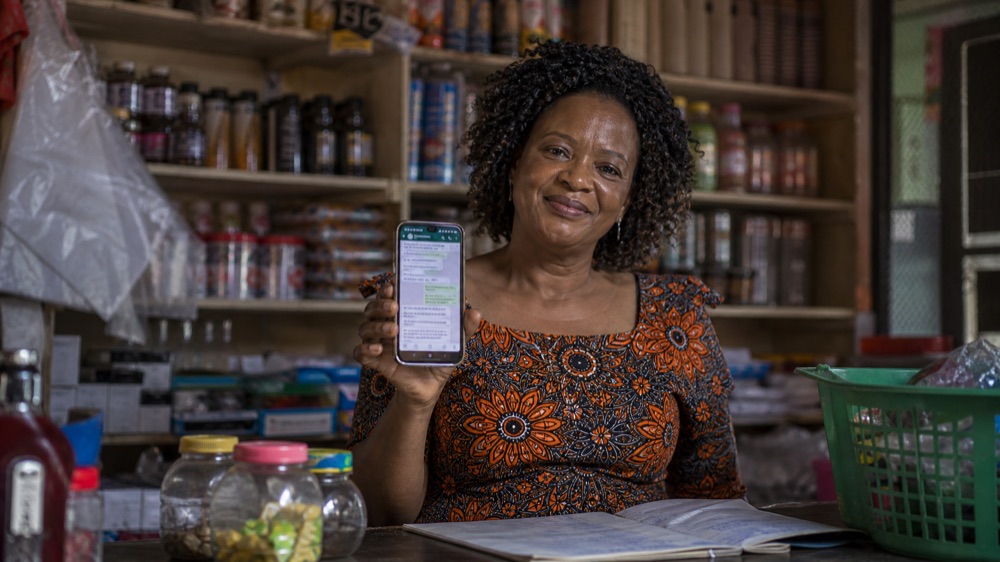
Zimbabwean shop owner using WhatsApp on her phone during the AI for Small Business course

AI for Small Business & Entrepreneurs

Enrolling now

Built for: Business owners, entrepreneurs, informal traders.

Skills you’ll gain

Marketing on a Budget Customer Communication Pricing & Bookkeeping Funding Proposals

Tools you’ll use

Claude WhatsApp Business Canva
Session 1 — Marketing on No Budget: Content ideas, social posts, and ad copy.
Session 2 — Customer Communication: Drafting clear, professional replies for enquiries, complaints, and orders on WhatsApp and email — without sounding like a bot.
Session 3 — Money Matters: Simple bookkeeping habits, pricing help, and expense tracking with AI assistance.
Session 4 — Growing the Business: Writing a business plan section or funding proposal with AI help, final practical project.
CertificateProfessional Certificate of Competence in Applied AI Systems — verifiable online
LevelBeginner-friendly
FormatOnline or in-person
Schedule4×2hr weekly or 2×4hr half-days
Request a Quote
Two professionals reviewing a ClickUp task board during the AI Project Management course

AI Project Management

Enrolling now

Built for: Team leads, project managers, operations staff, agencies.

Skills you’ll gain

Project Setup Workflow Automation Status Reporting Team Coordination

Tools you’ll use

ClickUp Claude
Session 1 — ClickUp Fundamentals: Setting up projects, tasks, and views that actually get used.
Session 2 — AI Inside Your Workflow: Using AI to draft tasks, summarise project updates, and keep documentation current.
Session 3 — Automation: Building simple ClickUp automations that remove repetitive admin work.
Session 4 — Bringing It Together: A real project template you’ll actually use, final practical project.
CertificateProfessional Certificate of Competence in Applied AI Systems — verifiable online
LevelBeginner-friendly, no ClickUp experience needed
FormatOnline or in-person
Schedule4×2hr weekly or 2×4hr half-days
Request a Quote
Teacher using a tablet in front of her class during the AI for Educators course

AI for Educators

Enrolling now

Built for: Primary and secondary school teachers, tutors, education administrators.

Skills you’ll gain

Lesson Planning Quiz & Worksheet Creation Differentiated Instruction Grading Support

Tools you’ll use

Claude Google Classroom Canva
Session 1 — Planning Faster: Building lesson plans and schemes of work in a fraction of the usual time.
Session 2 — Materials & Assessment: Generating quizzes, worksheets, and rubrics tailored to your class.
Session 3 — Reaching Every Learner: Adapting the same lesson for different ability levels and learning styles.
Session 4 — Marking & Feedback: Using AI to speed up grading and write clearer, more useful feedback, final practical exercise.
CertificateProfessional Certificate of Competence in Applied AI Systems — verifiable online
LevelBeginner-friendly
FormatOnline or in-person
Schedule4×2hr weekly or 2×4hr half-days
Request a Quote

TOOL MASTERY

Go deep on one tool, not a dozen.

A single 4-hour half-day session — for when you already use AI a little and want to genuinely master it.

Professional working intently with Claude AI assistant on a laptop during the Master Claude course

Master Claude: From First Prompt to Power User

Enrolling now

Built for: Anyone who wants to go deep on one tool rather than skim many.

Skills you’ll gain

Advanced Prompting Projects & Artifacts Document Analysis Custom Workflows

Tools you’ll use

Claude
Part 1 — Beyond the Basics: Advanced prompting techniques for consistently sharper, more useful answers.
Part 2 — Projects & Artifacts: Setting up a Project with persistent context and instructions for work you repeat, and using Artifacts to generate documents, code, and visuals you can actually reuse.
Part 3 — Claude Code, Practically: A no-experience-needed look at how Claude can write and fix simple code and automate small technical tasks — useful even if you’ve never coded.
Part 4 — Claude Cowork: Using Claude’s Cowork feature to bring it into the documents, files, and tasks you already handle every day, so it becomes a real working habit, not a one-off demo.
CertificateProfessional Certificate of Competence in Applied AI Systems — verifiable online
LevelBest with some AI experience already
FormatOnline or in-person
ScheduleSingle half-day session · 4 hours
Request a Quote

SPECIALIZED SKILL WORKSHOPS

Just want one specific skill? Pick a 2-hour workshop.

Focused, single-topic sessions — online or in person. No prior AI experience needed.

Graphic designer working with AI design tools on a laptop during the AI for Designers workshop

AI for Designers

Enrolling now

Built for: Graphic designers, brand & creative teams.

Skills you’ll gain

Design Ideation Rapid Mockups AI Image Tools

Tools you’ll use

Claude Midjourney Canva AI
  • Using an AI assistant for design ideation and iteration
  • Other AI design tools worth knowing
  • Speeding up mockups and concepts
  • Where AI helps, and where your own eye still matters most
CertificateAttendance
FormatOnline or in-person
ScheduleSingle session · 2 hours
Request a Quote
Filmmaker holding a camera gimbal during the AI Video and Movie Creation workshop

AI Video & Movie Creation

Enrolling now

Built for: Content creators, marketers, filmmakers.

Skills you’ll gain

AI Scripting AI Video Generation Editing Basics

Tools you’ll use

Claude Runway CapCut
  • Scripting with AI assistance
  • Turning an idea into short AI-generated video
  • Editing and refining AI video output
  • A realistic view of what today’s tools can and can’t do
CertificateAttendance
FormatOnline or in-person
ScheduleSingle session · 2 hours
Request a Quote
Content creator photographing a product flat-lay during the AI for Social Media workshop

AI for Social Media & Content Creators

Enrolling now

Built for: Social media managers, marketers, small business owners.

Skills you’ll gain

Caption Writing Content Calendars Quick Graphics

Tools you’ll use

Claude Canva
  • Captions and post copy in your own brand voice
  • Building a month of content in an afternoon
  • Quick graphics and short video for posts
  • Staying consistent without burning out
CertificateAttendance
FormatOnline or in-person
ScheduleSingle session · 2 hours
Request a Quote
Writer with a notebook and laptop during the AI for Writers workshop

AI for Writers

Enrolling now

Built for: Content writers, communications teams, students.

Skills you’ll gain

Drafting Editing Research

Tools you’ll use

Claude Google Docs
  • Drafting faster without losing your voice
  • Editing and tightening your own writing
  • Research and fact-gathering with AI
  • Avoiding the “obviously AI-written” trap
CertificateAttendance
FormatOnline or in-person
ScheduleSingle session · 2 hours
Request a Quote
Podcaster wearing headphones at a microphone during the AI Music and Podcast Creation workshop

AI Music & Podcast Creation

Enrolling now

Built for: Musicians, podcasters, content creators.

Skills you’ll gain
AI Music Generation Voice & Narration Audio Editing

Tools you’ll use

Claude Suno Audacity
  • Generating original music with AI tools
  • Voice, narration, and podcast editing basics
  • Where AI-made audio works well, and where it doesn’t
  • Practical use in ads, intros, and jingles
CertificateAttendance
FormatOnline or in-person
ScheduleSingle session · 2 hours
Request a Quote
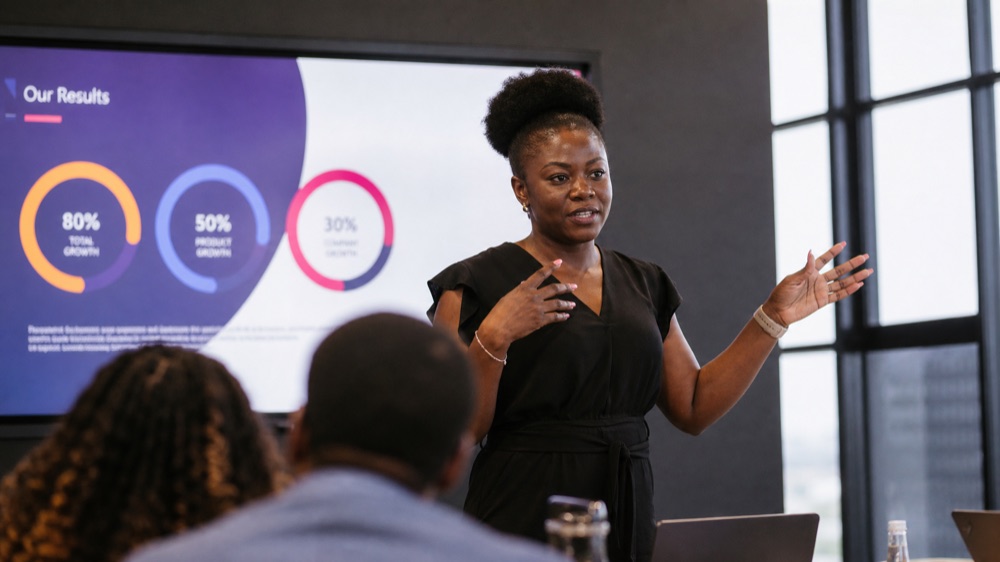
Professional presenting a slide deck with results to a small group during the AI for Presentations workshop

AI for Presentations & Pitch Decks

Enrolling now

Built for: Anyone who pitches, presents, or reports to others.

Skills you’ll gain

Deck Structuring Speaker Notes Rapid Design

Tools you’ll use

Claude Canva PowerPoint
  • Structuring a presentation people actually remember
  • Building a deck in a fraction of the usual time
  • Using AI for talking points and speaker notes
  • Polishing a deck without losing your own voice
CertificateAttendance
FormatOnline or in-person
ScheduleSingle session · 2 hours
Request a Quote
Professional pointing at a data chart on a laptop during the AI for Spreadsheets and Reports workshop

AI for Spreadsheets & Reports

Enrolling now

Built for: Finance, admin, and operations teams.

Skills you’ll gain

Data Summarising Trend Spotting Report Templates

Tools you’ll use

Claude Excel Google Sheets
  • Turning raw data into clear reports, faster
  • Spotting trends without wading through spreadsheets by hand
  • Simple, repeatable steps you can reuse every reporting cycle
CertificateAttendance
FormatOnline or in-person
ScheduleSingle session · 2 hours
Request a Quote

Not theory. Applied skills.

AI is no longer optional. It’s rewriting how work gets done — in marketing, finance, design, operations, education, and every field in between. Our programs are designed for one outcome: you walk away with skills you can use Monday morning. Not theory. Not vague concepts. Real prompts, real workflows, real results.

FREQUENTLY ASKED

Questions people actually ask us

Do I need any experience with AI to join?

No. Our Structured Programs and Workshops are built for complete beginners, and we adjust pace for mixed-experience groups. No prior AI experience is required.

What AI tools will I actually use?

Primarily Claude, since that’s what we teach in depth, alongside other tools relevant to your specific course — Canva, ClickUp, or Microsoft Office, for example. Each course above lists its specific tools.

What happens if I miss a session in a 4-session program?

Talk to us — we can usually arrange a short catch-up before the next session so you don’t fall behind.

Is the certificate really verifiable?

Yes. Every certificate includes a unique ID and a live verification link that anyone can use to confirm it’s real, directly on our website.

Can my whole team attend the same course together?

Yes — most Structured Programs and Workshops are delivered as live cohorts, so a team can go through it together, online or in person.

I’m not sure which course fits me. What should I do?

Use the Request a Quote button on any course and tell us a bit about your role — we’ll point you to the right one.

Online or in-person — which should I choose?

Both are delivered with the same content and facilitator attention. Choose based on what fits your team’s schedule and location.

FOR TEAMS

Your team doesn’t need another workshop. They need applied AI skills.

Most corporate AI training is generic, theoretical, and forgotten by the following Monday. We do the opposite. Customised cohorts. Real workflows from your actual business. Skills that stick because they apply to work people are already doing.

We’ve worked with companies who’ve seen what happens when you bolt AI training onto an unprepared workforce. We design programs that change that.

Discuss a corporate program
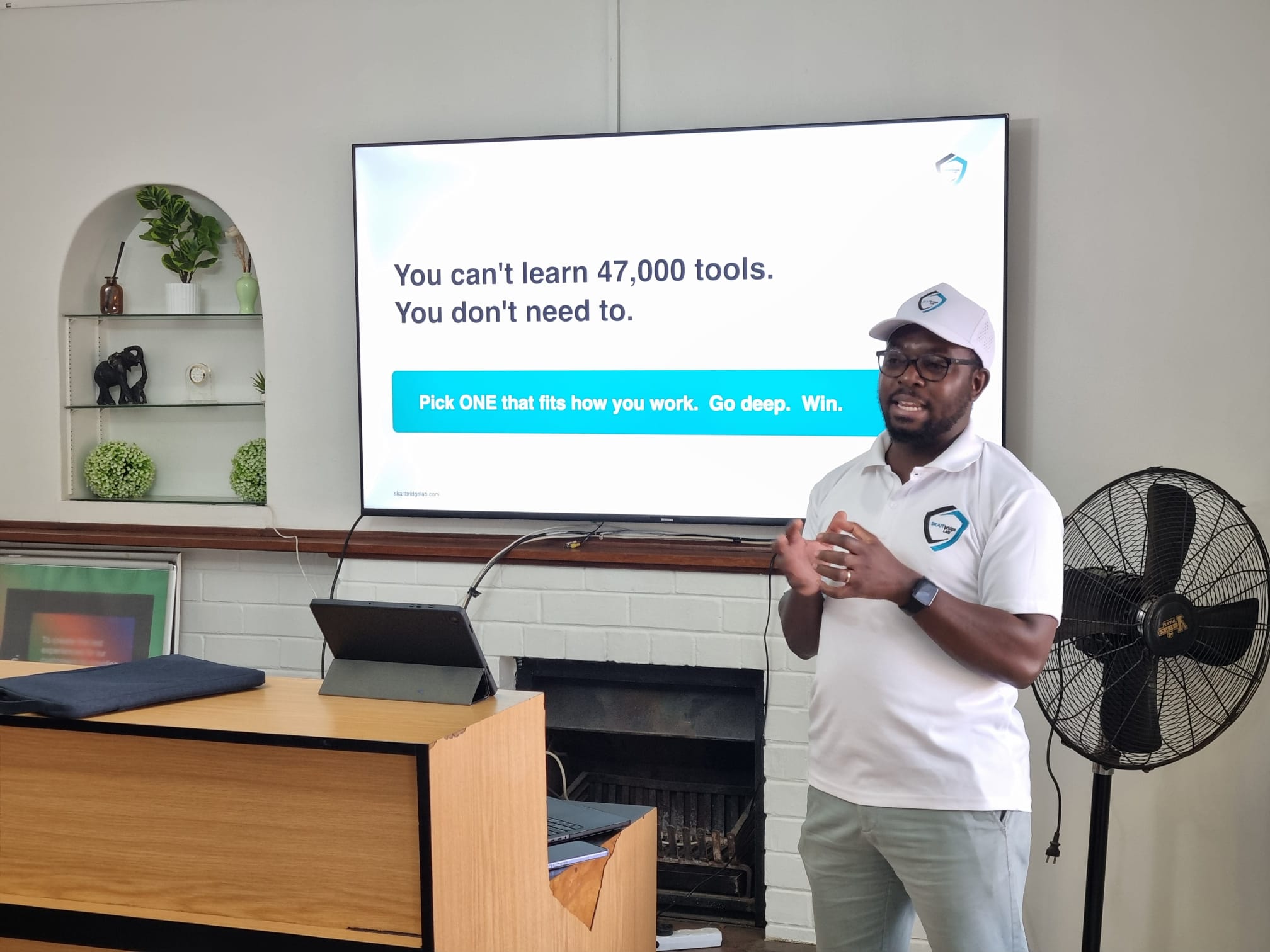
Skaitbridge Lab facilitator teaching a corporate AI training workshop to a marketing team in Harare, Zimbabwe

FOR STRATEGIC IMPLEMENTATION

Need more than training?

When you’re ready to deploy AI across your business — not just train your team to use it — you need a partner who’s done both. Our AI Consultancy service helps you go from strategy to deployment, done right.

Learn about AI Consultancy →

The AI wave is here. Don’t miss it.

Whether you’re starting from zero or scaling AI across an organisation, the right place to start is a conversation.

Talk to us